I used to throw everything at one model. Classification. Code review. Creative writing. That one time I asked it to generate a forty page technical report and it started hallucinating dependencies that never existed. It was Claude Sonnet for everything, all the time. It worked. But my API bill looked like a car payment, and my users were getting responses back in geological time.
Different tasks need different models, and routing between them is the closest thing to a free lunch I've found.
The One Model Mistake
Running a 70B parameter model to summarize a two hundred word email is like renting a moving truck to carry a sandwich. It gets the job done. It also costs a ridiculous amount and takes up way more space than necessary.
Most of us start with one model and stick with it because it works. Throw a prompt at it, get an answer back. The cost creeps up slowly. The latency gets worse as your traffic grows. Then one day you check your usage dashboard and realize you spent three hundred dollars last month on classifying customer support tickets as "angry" or "not angry."
A 1.5B model handles sentiment classification fine. It just won't write a coherent essay. That is the whole point of routing: match the task to the tool, and stop using a wrecking ball when a screwdriver will do.
Capability Routing: The Obvious One
You figure out what the task is, then you send it to a model that can actually handle it.
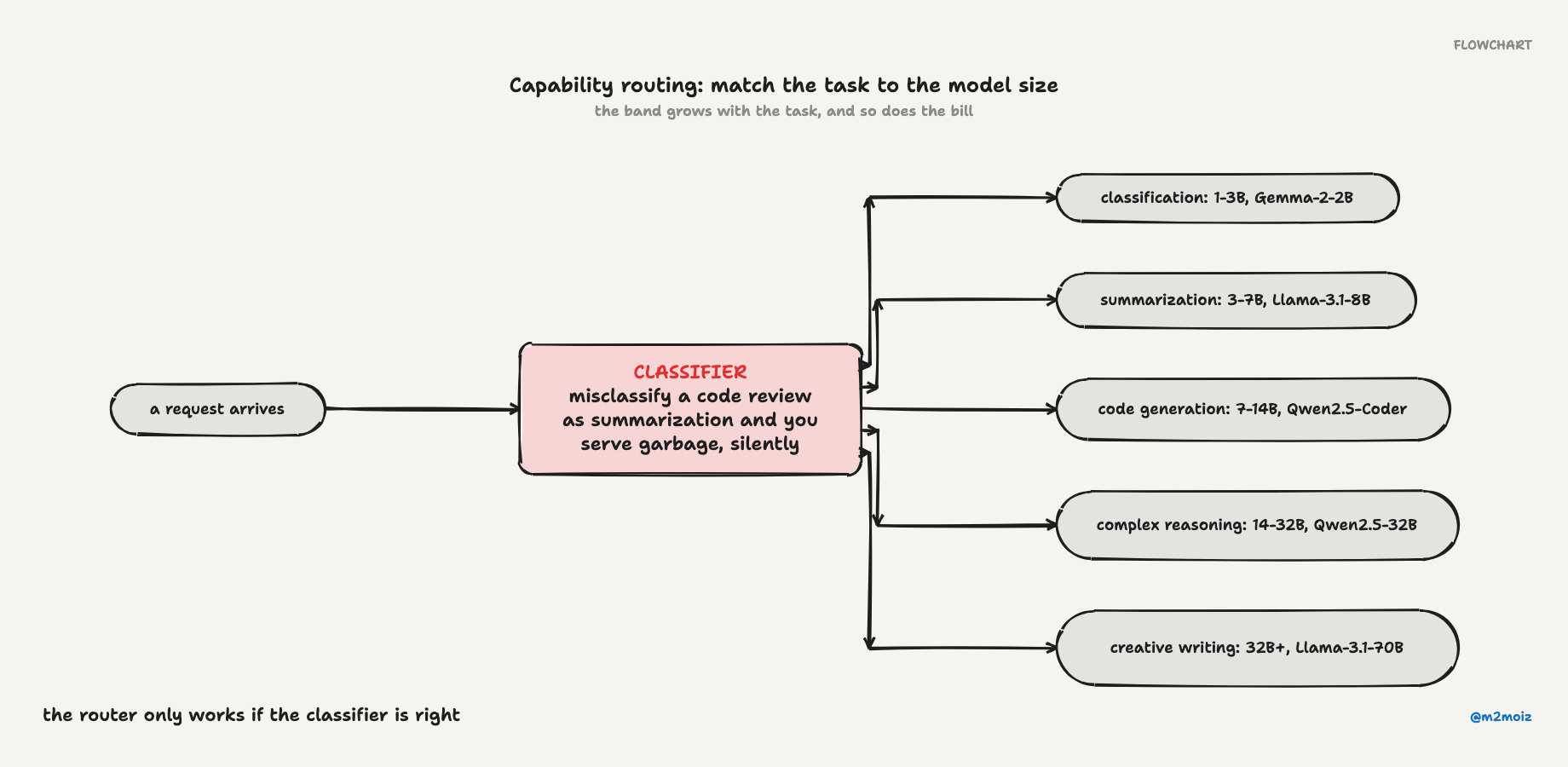
A rough mapping:
- Classification, tagging: 1-3B models (Qwen2.5-1.5B, Gemma-2-2B)
- Summarization, extraction: 3-7B models (Qwen2.5-7B, Llama-3.1-8B)
- Code generation: 7-14B models (Qwen2.5-Coder-7B)
- Complex reasoning: 14-32B models (Qwen2.5-14B, Qwen2.5-32B)
- Creative writing, deep analysis: 32B+ (Llama-3.1-70B, Qwen2.5-72B, Claude, GPT-4)
Implementation is dead simple. Write a routing table, classify the input, and dispatch. The classification is the hard part. I have seen systems misclassify a code review request as "summarization" and silently serve garbage output. The router only works if the classifier is right.
Cost Routing: When the Bill Arrives
Local inference changes the economics completely. Once you amortize the hardware, running a 7B model locally costs pennies an hour. A decent GPU pays for itself in about six months at moderate API usage. After that, the local models are effectively free.
Compare the numbers:
- GPT-4o: $2.50 per million input tokens, $10.00 per million output tokens
- Claude Sonnet 4: $3.00 input, $15.00 output
- Qwen2.5-72B via API: $0.50 input, $2.00 output
- Any local model: the cost of electricity, basically nothing
If you are processing thousands of requests per session, even five cents in electricity beats fifteen dollars per million tokens. The gap is enormous.
If you are budget conscious, set a spending cap per session and degrade gracefully as you approach it. Start with the expensive model, then downgrade as the budget runs low. The output gets noticeably worse by the end of a long session. Whether that matters depends on what you are building. For internal tools, it is often fine. For customer facing chat, it is a disaster.
Latency Routing: When Users Complain
Interactive tools need fast first tokens. Batch jobs can wait.
Real time chat demands sub-200ms first token latency. Interactive tools can stretch to 500ms. Batch processing can take seconds. When you are streaming tokens to a user, the first token latency is what they actually feel. A 32B model that takes half a second to start feels sluggish compared to a 1.5B model that fires instantly.
I built a system once where every request hit a large model. Users described the experience as "watching paint dry." Switching simple queries to a smaller model made the whole thing feel snappier without changing the chat UI at all. The hard queries still got the big model. The easy ones just flew.
Latency depends on your hardware, quantization, and batch size. Measure on your own setup. My numbers will not match yours.
Fallbacks: Because Stuff Breaks
Models fail. APIs rate limit. Timeouts happen. The pattern that works is a fallback chain ordered from best to most reliable.
Start with your best model. If it times out, try the next one. If that fails, try the next. The last model in the chain should be local. It is slower, but it will not fail because of a network issue or an expired API key.
My primary API provider had an outage once and my entire pipeline went silent for four hours. Now every router I build ends with a local fallback.
When to Route, When Not To
Routing makes sense when your workload is mixed. If you are doing classification, summarization, code review, and creative writing in the same system, a router saves serious money and latency.
It does not make sense when everything you do is the same complexity. Just use the model that is good at that one thing.
Early prototyping is another reason to skip it. Get the task working with one model first. Add routing when cost or latency actually becomes a problem. Premature routing is just as bad as premature optimization anywhere else.
The Tradeoffs
Every strategy optimizes something and sacrifices something else.
- Single model: simplest, most expensive, consistent quality
- Capability based: better cost, higher quality per task, moderate complexity
- Cost aware: cheapest, quality varies, moderate complexity
- Latency aware: fastest, may sacrifice quality, moderate complexity
- Hybrid: best of all worlds, most complex to implement
Production systems tend to converge on hybrid. Start with capability based routing. Add cost awareness when the bill comes in. Add latency awareness when users complain about slowness.
I almost called this post "Model Routing Strategies." But "I Used One Model for Everything" is the real story. The technical details are just what I learned after I stopped being lazy.